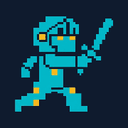
SpriteGen is an AI sprite creator that converts a written character description into a game-ready pixel-art sprite sheet, output as a transparent PNG with evenly spaced frames.
What is SpriteGen?
SpriteGen is an online AI sprite creator for game developers. You describe a character and an action, choose a view, style, facing direction, frame count, and cell size, and the tool returns a transparent PNG sprite sheet with evenly spaced frames. It runs in the browser, requires no sign-up for free tries, and is aimed at developers who need 2D animation assets without an animation rig or pixel-art skills.
Key Features
- Text-to-sprite generation — Describe a character and action (e.g. "an armored knight swinging a longsword") and receive a sprite sheet in roughly a minute.
- Animation actions — Idle, Walk, Run, Jump, Attack, Cast, Hurt, Death, and Fly animations can be generated per character.
- View and facing controls — Side view is offered, with a Right facing option shown in the composer.
- Style presets — A 16-bit style preset is selectable, with a SNES-style reference thumbnail in the picker.
- Frame count options — 6 FR, 8 FR, and 12 FR frame counts are available in the composer.
- Output formats and sizes — HD output at 3072 × 384, plus 16, 32, 64, 96, and 128 PX cell sizes for pixel-perfect sheets.
- Live animated preview — Generated characters animate in a smooth loop before you download, so you can see the result first.
- Transparent PNG export — Sheets come with a transparent background and evenly spaced frames, ready to import into any game engine.
Who is it for?
- Indie game developers: Produce 2D character animation sheets for platformers, RPGs, and action games without hiring a pixel artist.
- Game jam participants: Generate placeholder or shippable sprites quickly when time is short.
- Prototypers and hobbyists: Test character movement and combat feel with real animated sprites before committing to final art.
- Creators without animation skills: Get looping walk, run, jump, and attack animations from a text prompt alone.
What can you do with SpriteGen?
- Build a character animation set: Generate idle, walk, run, jump, attack, cast, hurt, death, and fly sheets for one character and drop them into a game engine.
- Match a retro art style: Pick the 16-bit style and a 32 PX cell size to produce SNES-style pixel art sheets.
- Preview before committing: Watch the looped animation in the browser and regenerate until the character reads correctly.
- Generate props and enemies: The showcase includes coins, potions, shields, chests, slimes, bats, skulls, foxes, dragons, golems, spiders, dark knights, and serpents.
How does SpriteGen work?
- Describe your character and what they are doing in the prompt field.
- Choose the view, style, facing direction, action, frame count, and output size in the composer.
- Generate the sheet, watch the live animated preview, then download the transparent PNG.
Pricing
SpriteGen uses credit-based pricing: four credits per sprite sheet, with a transparent background included, and top-ups available anytime. New users get free tries with no sign-up, and signing up adds 15 credits. The site notes that payments will be available soon.