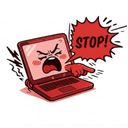
SlapWindows is a paid Windows utility that makes your laptop scream when you slap your desk or lid, triggered via microphone detection.
What is SlapWindows?
SlapWindows is a humorous application for Windows 10/11 that uses your computer’s microphone to detect a slap motion on your desk or laptop lid and responds with a sound clip from one of 12 voice packs. It also supports a USB Sound Pack that triggers sounds when you plug or unplug USB devices. The app runs silently in the system tray with no dock icon. It was created by developer Amit Kushwaha.
Key Features
- Mic slap detection — Uses your computer’s built-in or external microphone to detect the acoustic signature of a slap; works with desk slaps or lid taps.
- 12 voice packs — Includes Special, Combo Hit, Male, Fart, Gentleman, Yamete, Goat, Angry (new in v2.0.0), Metal (new), Santa (new), Evil Laugh (new), and Robot (new). Each pack contains multiple sound variations.
- Custom Sound Upload — Upload your own MP3 or WAV files via Settings and assign them to a custom pack for personalized reaction sounds.
- USB Sound Pack — Additionally reacts with a sound every time you connect or disconnect a USB device (added in v2.0.0).
- System tray operation — No visible dock icon; the app lurks in the system tray to stay out of the way until you slap.
- Lifetime license — One-time $3 payment covers all current and future updates.
Who is it for?
- Prank-loving office workers who want to make their laptop scream when they slap their desk, surprising coworkers.
- Tech enthusiasts who enjoy customizing their PC’s audio feedback with their own MP3/WAV files or themed sound packs.
- Gamers and streamers who want a silly, reactive audio gag for their desk setup—especially useful during breaks or to entertain an audience.
- USB gadget tinkerers who want auditory feedback every time they plug or unplug peripherals like flash drives or external drives.
What can you do with SlapWindows?
- Prank your office: Slap your desk or laptop lid to trigger a random sound from any of the 12 voice packs; your laptop will “scream” back in goat bleats, yamete voices, or Santa laughs.
- Customize reaction sounds: Upload your own MP3 or WAV files (e.g., a recording of your own voice) so your laptop screams exactly the way you want.
- Get USB plug/unplug feedback: Enable the USB Sound Pack mode so your laptop moans or reacts every time you connect or disconnect a USB device.
- Try before you buy: Watch the demo video on YouTube to see the slap detection and sound response in action.
How does SlapWindows work?
- Install the app on Windows 10 or 11 and ensure a microphone is connected.
- Run SlapWindows; it minimizes to the system tray with no visible dock icon.
- Slap your desk or laptop lid (or tap the laptop in the preview UI). The microphone detects the slap and the app plays a random sound from the selected voice pack.
- Access settings to choose a voice pack, upload custom sounds (MP3/WAV), or enable the USB Sound Pack.
Pricing
SlapWindows costs a one-time payment of $3, which includes all 12 voice packs, Custom Sound Upload, USB Sound Pack mode, and lifetime updates. A license key is delivered via email. No refunds; all sales final.
FAQ
Will it trigger while typing?
The app uses a dedicated slap-detection algorithm tuned for percussive impacts (like slaps) to minimize false positives from typing.
Does it work without a mic?
No — a microphone is required for slap detection. The app uses the mic to capture the sound of the slap.
How do I get my license key?
After purchase, the license key is delivered to the email address you provided. You can also find it in your order confirmation.
Can I get a refund?
No — all sales are final. The developer explicitly states no refunds are offered.