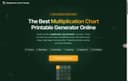
The Multiplication Chart Printable Generator is a free online tool that creates customizable multiplication table charts in under 30 seconds, supporting grid sizes from 1×5 to 100×100 with themes, practice modes, and accessibility options.
What is the Multiplication Chart Printable Generator?
The Multiplication Chart Printable Generator is a browser-based tool that lets users specify a grid range (e.g., 1–12, 1–100, or custom start numbers like 11–20), choose a color theme (Rainbow Pastel, Perfect Squares, High Contrast, Black & White), and select a chart mode (Reference, Blank for fill-in, or Practice with missing answers). It produces a PDF or prints directly to a single page with no sign-up, watermark, or account required. The tool is built and maintained by the same team running multiplicationchartprintable.app and is used by teachers, parents, and tutors worldwide.
Key Features
- Grid size presets + custom start – Nine presets (5, 10, 12, 15, 20, 25, 30, 50, 100) plus a free‑form “From” field to create non‑standard ranges like 51–100 or 22–35.
- Three chart modes – Reference (filled), Blank (empty cells with row/column headers), and Practice (partial cells). Answer key prints in one extra click.
- Five color themes – Rainbow Pastel (row‑colored), Perfect Squares (highlights diagonal in amber), Classic B&W, High Contrast (bold borders for accessibility), and a custom default.
- Dyslexia‑friendly font – OpenDyslexic option reduces letter‑flipping (e.g., 6 vs 9), paired with High Contrast for full accessibility.
- Live preview + interactive highlighting – On desktop, hovering over any cell highlights the entire row and column; all changes preview instantly before printing.
- Single‑page PDF guarantee – Every grid size auto‑fits to one page; landscape mode automatically suggested for grids larger than 12×12.
- 100% free, no sign‑up – Unlimited charts, unlimited prints, no watermark, no tiered unlocks.
Who is it for?
- Teachers – Bulk‑print black‑and‑white charts for the whole class, create weekly blank‑chart quizzes, or project the interactive chart on screen.
- Parents & homeschoolers – Print a color‑coded 1–12 chart for the fridge or a custom‑range practice sheet for a child struggling with specific facts.
- Special education tutors – Use the OpenDyslexic font and High Contrast theme to support students with dyslexia or visual processing needs.
- Math competition coaches – Generate large‑grid charts (1–20, 1–25, 1–30) for advanced students practicing multi‑digit multiplication.
What can you do with the Multiplication Chart Printable Generator?
- Create a weekly fact‑drill routine – Have students study a filled reference chart Monday, complete a blank chart Wednesday, and attempt a timed fill Friday. The answer key prints separately for self‑checking.
- Build targeted gap‑filler worksheets – Set a custom range like 11–20 or 51–100 to practice exactly the facts a student hasn’t yet memorized.
- Display an interactive chart on a classroom projector – Hover over any cell to trace factors; then print the final version as a wall poster.
- Produce accessibility‑first materials – Generate a High Contrast, OpenDyslexic chart for a student’s individual desk; the same setting works for the whole class.
How does the Multiplication Chart Printable Generator work?
- Set the grid range using the “From” and “To” dropdowns or type a custom start number. The preview updates instantly.
- Choose the chart mode (Reference, Blank, Practice) and a theme. Toggle the interactive highlight if using a desktop.
- Click the green “Download PDF” button or use the browser print function. The tool auto‑sizes the chart to fit one page—landscape mode is applied automatically for grids over 12×12.
FAQ