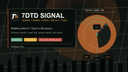
7DTD Signal is a central hub for 7 Days to Die players featuring updates, mods, server listings, and tools like a server config generator.
7DTD Signal is a community-driven resource hub for 7 Days to Die (7DTD) players, offering patch notes, mod directories, server boards, and configuration tools. ## What is 7DTD Signal? It is a web portal that aggregates official update notes, community mods, active server listings, and practical utilities for the survival game 7 Days to Die. The site takes user queries for game updates, mods, servers, and configuration needs and returns curated listings, guides, and a serverconfig.xml builder. It runs on a standard web platform and is maintained by the 7DTD Signal team. ## Key Features - Update Archive — Browse version notes, including the V3.0 Dead Hot Summer update, with guidance on old saves and mod compatibility. - MOD Directory — Search mods by category (QoL, UI/HUD, Overhauls), install side, server requirements, and risk level, with links to install guides. - Server Board — Find server posts filtered by region, version, rules, EAC status, and required mods; includes hosting and config guides. - One-click Server Settings — Generate a serverconfig.xml file via a readable web interface, with copy and download options. - Map Generator — A tool to create custom maps for 7DTD. - Forum Board — Contains survival guides, mod questions, server help, Q&A, and first-week route planning resources. ## Who is it for? - Returning players — Check old saves, mods, and server compatibility before jumping into a new update. - Mod users and creators — Browse the MOD directory by category and install side, and access installation guides. - Server owners — Use the server board to list or find servers, and the config generator to build serverconfig.xml. - New players — Follow the first-week route guide and survival Q&A on the forum board. ## What can you do with 7DTD Signal? - Stay updated: Read the latest version notes and understand impact on saves, mods, and servers. - Find and install mods: Browse the MOD directory by tags like QoL or Overhaul, then follow the install guide. - Set up a server: Use the serverconfig generator to build a compliant configuration file, then refer to the dedicated hosting guide. - Join a game: Browse the server board with filters for region, EAC, and required mods to find a compatible server.
Share feedback and ask questions about this launch.
No comments yet. Start the conversation!
